


Garmin's watch lock, which Garmin calls Device Passcode, is a screen lock for the whole watch. It arrived in public beta in 2025 and has since rolled out broadly, so most current Garmin watches can lock themselves once they come off your wrist. The point is simple: a lost or stolen Garmin should not be readable, and everything past the watch face should be off limits without your PIN. It brings Garmin in line with what Apple has done on the Watch for years.
The Evolution of Garmin's Security Features
From Garmin Pay to Full Device Protection
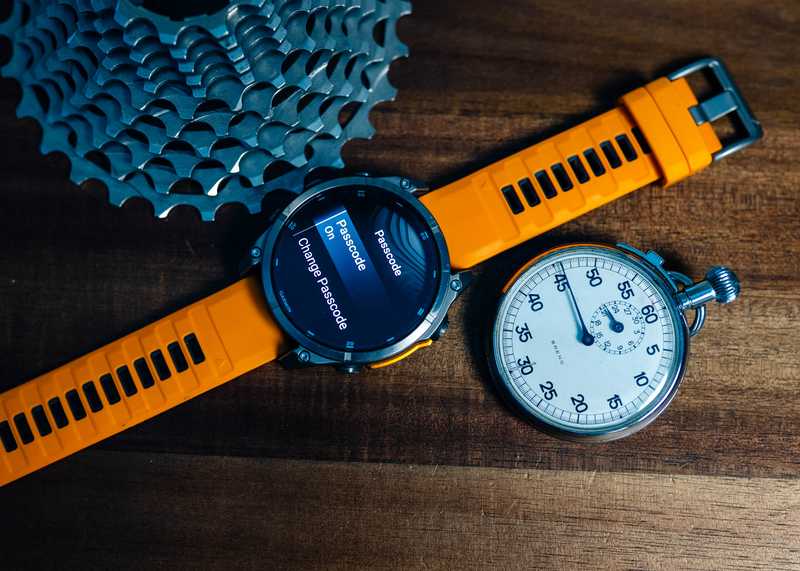
Prior to this update, Garmin's security measures were largely confined to Garmin Pay, the contactless payment system requiring a passcode for transaction authentication. While effective for financial security, this approach left other personal data, such as health metrics, contact lists, and location history, vulnerable. The new Device Passcode extends protection to the entire device, requiring a 4-digit PIN whenever the watch detects removal from the wrist or prolonged inactivity.
This expansion responds to the increasing sophistication of Garmin's wearables, which now store granular health data (e.g., sleep patterns, stress levels, and menstrual cycles) and sync with smartphones to display notifications, calendars, and emergency contacts. For high-end models like the Fenix 8 and Epix Gen 3, which include topographic maps and route histories, the passcode also mitigates risks for outdoor enthusiasts exploring remote areas.
Technical Implementation and User Experience
The passcode leverages auto-wrist detection technology, a staple in Garmin's optical heart rate sensors, to trigger lock mode. When enabled, users must enter their PIN to regain access after taking off the watch or leaving it idle for a predefined period (default: one week). Notably, the system allows limited functionality during lock mode:
- Active workouts can continue uninterrupted to avoid disrupting training sessions.
- Emergency alerts (e.g., incident detection, assistance messages) remain accessible.
- Basic utilities like the flashlight and watch face stay operational.
However, sensitive data fields, including health reports, payment details, and saved routes, become inaccessible without the passcode. Garmin has also introduced haptic feedback during PIN entry on non-touchscreen models like the Fenix 8 Solar, improving usability in outdoor conditions.
Which Garmin Watches Have Garmin Lock
The passcode ships on more families than Garmin's launch list implied, and the menu path depends on how your watch takes input rather than on which family it belongs to. Button models open settings by holding the button from the watch face. Touchscreen models open them with a left swipe. These paths come from Garmin's own owner's manuals for each family:
| Watch family | Opening settings | Path to the passcode |
|---|---|---|
| Fenix 9 series, Enduro 4 | hold the button from the watch face | Watch Settings > System > Passcode |
| Fenix 8 series, Fenix E, Enduro 3 | hold the button from the watch face | Watch Settings > System > Passcode |
| Forerunner 965, 955 and 255/265 series | hold the button from the watch face | System > Passcode |
| Instinct 3 Solar, Instinct 3 AMOLED | hold the button from the watch face | System > Passcode |
| Venu X1 | swipe left from the watch face | Settings > System > Passcode |
| Vivoactive 6 and other touchscreen Vivoactive models | swipe left from the watch face | Settings > System > Passcode |
Two things worth knowing about that list. The button label differs by model, so on some watches the first step is a long press on the top-left button and on others it is the middle button. And Garmin notes on the Vivoactive 6 that the feature "is not available in all areas," so a watch that should have it can still be missing it depending on where you bought it.
The Fenix 7 series, Fenix 7 Pro, Epix (Gen 2) and Epix Pro picked the passcode up through updates even though it never appeared in their changelogs, which is why owner reports are a better guide than release notes for this feature. The original launch left several older watches out, which drew complaints from owners who expected longer software support. Some of those gaps have closed since, but the feature still is not universal.
How to Set Up, Change, and Turn Off the Lock
You do all of this on the watch. The only job Garmin Connect has is resetting a passcode you have forgotten.
To turn the lock on:
- From the watch face, hold the button if yours is a button model, or swipe left if it is a touchscreen.
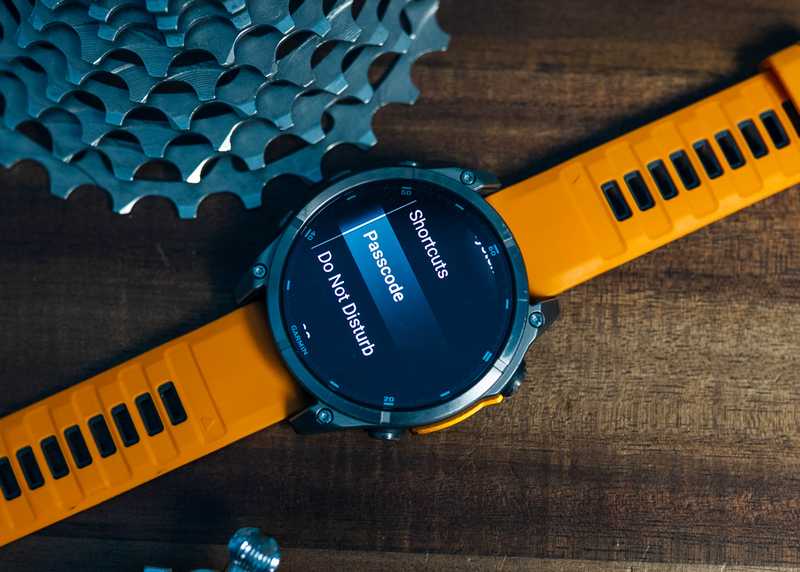
- Select Settings, then System, then Passcode.
- Select Set Passcode.
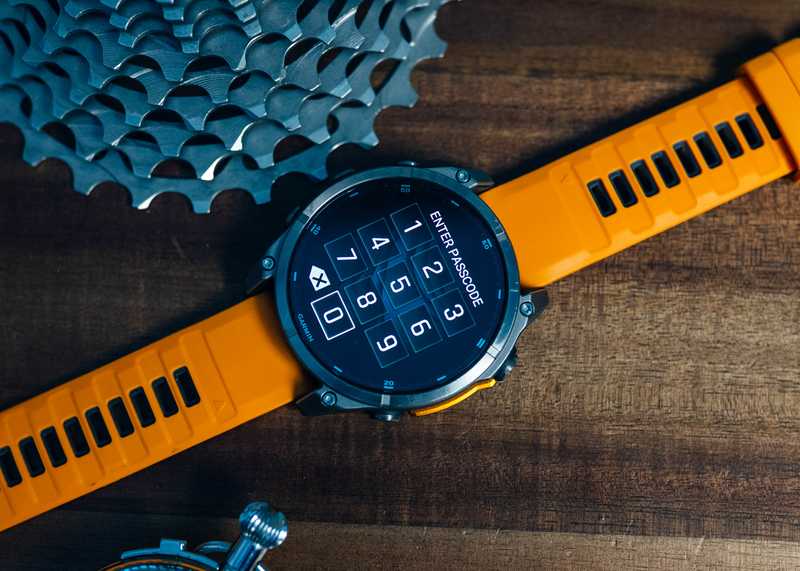
- Enter a four-digit code. From the next time you take the watch off, it asks for that code before showing anything past the watch face.
If you already use Garmin Pay, the watch reuses your wallet's four-digit code, so there is one number to remember rather than two.
To change it: follow the same path and select Change Passcode, then enter the current code followed by the new one. You cannot change it without knowing the existing one.
To turn it off: follow the same path, select Passcode, then Off, and enter the current code. Touchscreen models including the Venu X1 and Vivoactive 6 offer Wallet Only instead, which lifts the lock everywhere except your Garmin Pay wallet. Contactless payments still need the code, the rest of the watch does not.
The feature is opt-in, so you can weigh the security against the daily hassle of entering a PIN.
Security Protocols and Anti-Theft Measures
What Happens If You Get It Wrong
Garmin's manuals describe two stages, and the first one is easy to miss. Three wrong entries lock the watch temporarily, so you have to wait it out before trying again. Five wrong entries lock it until you reset the passcode from the Garmin Connect app on your paired phone. If the watch is not paired to a phone, that fifth wrong attempt deletes your data and resets the watch to factory defaults. That last part is the anti-theft teeth in the feature, and it is also the argument for keeping the watch paired if you are the type to blank on a four-digit number.
These protocols mirror smartphone security standards, though critics note that paired devices can bypass the factory reset via the Garmin Connect app, a potential vulnerability if a thief accesses the user's phone.
Theft Deterrence and Resale Value
By preventing unauthorized resets, the passcode aims to reduce incentives for smartwatch theft. Pre-update, stolen Garmin devices could be easily reset and sold secondhand, but the passcode ties device functionality to the original owner's account. However, unlike Apple's Activation Lock, Garmin lacks a centralized platform to remotely disable stolen watches, leaving physical security as the primary defense.
User Reactions and Practical Considerations
Privacy vs. Convenience Debate
Early adopters on forums like r/GarminWatches are divided:
- Privacy Advocates: Praise the feature for securing sensitive data.
- Skeptics: Question the daily hassle of PIN entry.
Garmin's decision to make the passcode optional appears strategic, catering to both security-conscious users and those prioritizing seamless access.
Battery Life and Performance Impact
Concerns about battery drain emerged during beta testing, particularly for solar-powered models like the Fenix 8 Solar. However, internal benchmarks show negligible impact (2% or less daily drain), as the passcode only activates when the watch is off-wrist.
Future Outlook and Recommendations
Expanding Compatibility
User demand for backward compatibility remains high, particularly among Fenix 7 and Epix Gen 2 owners. While Garmin cites hardware limitations, third-party developers speculate that firmware patches could enable passcodes on older AMOLED models.
Enhancing Remote Security
Integrating a Garmin Lock Portal for remote passcode resets and device tracking could further deter theft. Pairing this with IMEI-like identifiers would align Garmin with smartphone industry standards.
Educating Users
Garmin could leverage the Connect app to provide security tutorials, highlighting risks like location history exposure or contact list breaches.
Conclusion
Garmin's Device Passcode represents a pivotal step in wearable security, addressing longstanding vulnerabilities while balancing user convenience. While not without limitations, particularly for legacy device owners, the feature underscores Garmin's commitment to evolving alongside cybersecurity threats. As smartwatches increasingly double as digital IDs and payment terminals, robust encryption and user-configurable safeguards will remain critical to maintaining consumer trust in the IoT era.
For now, the lock offers a pragmatic solution for athletes, professionals, and everyday users who want to protect their data without giving up the rugged reliability that defines Garmin's brand. It is well past the beta that introduced it, and the open question now is how far the rollout reaches into older hardware.
Sources: Garmin's own owner's manuals for the setting path, the passcode sharing with Garmin Pay, the Wallet Only option and the two-stage lockout, specifically the Fenix 9 series, Enduro 4, Forerunner 965, Instinct 3 Solar, Instinct 3 AMOLED, Venu X1 and Vivoactive 6 manuals; Garmin's Device Passcode support documentation and the Fenix 8 series owner's manual; Garmin's watch lock options support page for the compatible device families; Garmin Rumors on the Fenix 7 series, Epix (Gen 2) and Epix Pro receiving passcode support outside their changelogs.


