

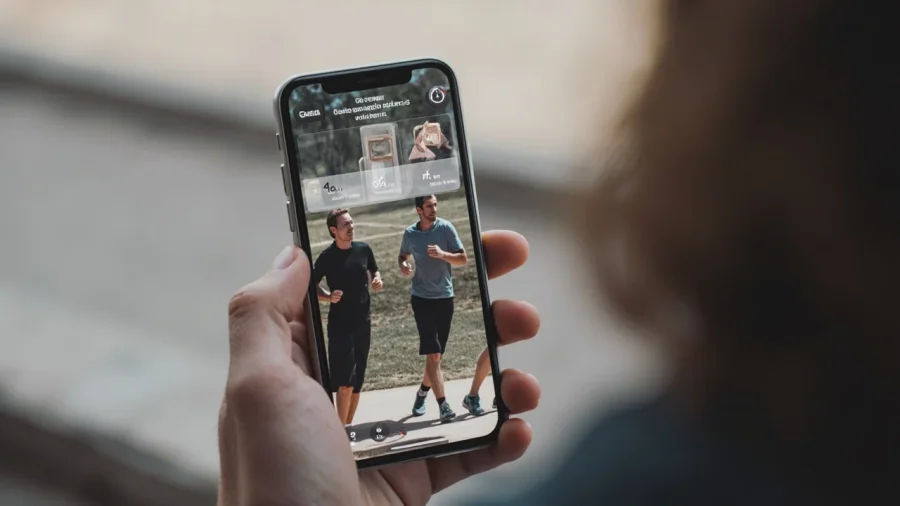
Garmin just made your workout posts look way better. The Connect app is getting a new feature that lets you add transparent data overlays to your photos before sharing to social media. No more ugly screenshots of your training data.
What Garmin Added
The update adds transparent overlays to the Connect app's sharing options. When you finish a run or ride, you can now layer your workout stats - pace, distance, heart rate, route map - directly over a photo in different formats optimized for social media.
You get three aspect ratios to choose from. The 1x1 works for standard posts. 4x5 is better for portrait-style feed posts. And 9x16 is sized perfectly for Stories, Reels, and other vertical content.
The key difference from what Strava and others do is the transparent design. Instead of stuffing your data into opaque boxes, Garmin lets the photo stay front and center while the stats sit naturally on top. It looks intentional rather than like you just screenshotted your watch.
Why This Matters
If you post your runs online, you've probably used third-party tools to make your posts look better. Apps that let you overlay pace and route on a photo, or create those clean graphics with your weekly mileage. Garmin is basically building that functionality directly into Connect.
For runners who use Instagram or Strava to share training, this cuts out an extra step. Open the activity, tap share, pick your format, and you're ready to post. No exporting to another app for editing.
The route map overlay is particularly useful. You can show exactly where you ran overlaid on a photo, with the stats floating cleanly on top. It makes posts more interesting than just a screenshot, and more informative than just a photo.
This matters most for a few types of runners:
-
Race photos: Overlay your race stats on the photo from race morning. "2:47:33 marathon at Big City Marathon" in clean text over your finish line photo.
-
Weekly recaps: Garmin already generates those nice weekly summary graphics. The new overlays let you customize them with your own photos instead of just the default stats cards.
-
Route context: Instead of just a screenshot of your watch showing the map, you can put the actual route overlaid on a photo of where you ran. Trail runners showing their mountain route over a summit photo. Road runners showing their neighborhood route over a familiar landmark.
How It Works
Open any completed activity in Garmin Connect, tap the share button, and you'll see the new layout options. Choose your photo (or use the one Garmin automatically captures if you have that setting on), pick your overlay format, and the app generates a clean image ready for posting.
The overlays include average heart rate, distance, and average pace alongside the route outline. You can see the example images showing how it looks.
This is rolling out now in the Connect app update. If you have automatic updates on your phone, you probably already have it. Check your app settings if you're not seeing it yet.
The feature works for both running and cycling activities, so whatever you're logging in Connect, you can create shareable content from it.
How It Works
Open any completed activity in Garmin Connect, tap the share button, and you'll see the new layout options. Choose your photo (or use the one Garmin automatically captures if you have that setting on), pick your overlay format, and the app generates a clean image ready for posting.
The overlays include average heart rate, distance, and average pace alongside the route outline. You can see the example images showing how it looks.
This is rolling out now in the Connect app update. If you have automatic updates on your phone, you probably already have it. Check your app settings if you're not seeing it yet.
The Bigger Picture
Garmin is paying more attention to the social side of fitness tracking. Connect has always been strong on data and training load analysis, but the sharing features felt secondary. This update suggests Garmin is thinking more about how people actually use the platform for social motivation.
Competition is driving this. Strava has built an entire social platform around workout sharing. Third-party tools like Relive have made a business out of making run photos look better. Garmin responding by building these features directly into Connect is exactly what users want.
For Garmin users who haven't been using third-party tools, this opens up better-looking posts without any extra effort. For those who have been using tools like Relive or custom graphics, Connect might become your new go-to since it's faster and built into the workflow you already use.
It's a small feature, but it fits a pattern of Garmin making Connect more complete as an ecosystem rather than just a data vault. The app has been getting regular updates that go beyond pure training analysis. This social sharing layer is another piece of making Connect the central hub for everything from planning workouts to sharing them with your running community.
The fact that Garmin is thinking about this at all signals they're aware that a lot of their users are recreational runners who care about the social aspect of fitness. It's not just elite athletes tracking every metric - it's weekend warriors who want to share their progress with friends. Garmin building tools for that audience makes sense.